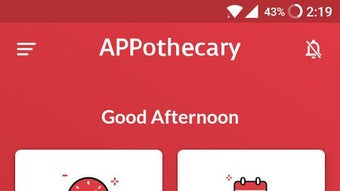

Download APPothecary APK – Free Medication Reminder, Health Tracker, Emergency Contact
Overview
APPothecary, developed by Renata Limited, is a free lifestyle application designed to help users manage their daily medication routines and overall health tracking. The app serves as a centralized tool for remembering to take prescribed pills, monitoring vital signs such as blood pressure, body temperature, glucose levels, and weight, and organizing medical appointments and doctor information. Its primary purpose is to reduce the risk of missed doses and support better self-management of personal health, particularly for individuals with chronic conditions or complex medication schedules.
Target users include adults managing long-term prescriptions, elderly individuals, caregivers, and anyone seeking a structured way to maintain wellness. The app also includes emergency preparedness features, allowing users to quickly contact designated emergency contacts during critical situations. Additionally, the ASK Renata function enables users to send offline messages to the developer for assistance, providing a direct line for support regarding medical queries or app usage.
Real-world applications include daily medication adherence for patients with hypertension, diabetes, or post-surgical recovery plans. The app integrates multiple health management tasks into a single interface, minimizing the need for multiple tools or paper-based logs. While specific system requirements were not provided, the app is available for Android devices and functions as a standalone desktop alternative through Android emulators.
Key Features & Capabilities
- Medication Reminder System: Users can set custom reminders for daily, weekly, or one-time doses. The system notifies users via alerts to ensure timely intake, reducing the risk of missed medication.
- Medicine Library Integration: A searchable database allows users to look up local medications, view basic information, and directly add them to their personal reminder list.
- Health Tracker: Enables recording and monitoring of vital signs including blood pressure, body temperature, glucose levels, and body weight over time, with visual trends for easy analysis.
- Doctor & Appointment Management: Users can store doctor contact details, upload prescriptions, and set appointment reminders to stay on schedule with medical visits.
- Emergency Contact Feature: Provides quick access to pre-set emergency contacts, enabling immediate communication during urgent health situations.
- ASK Renata Support: Offers a messaging function to send offline queries to the developer, supporting users who need clarification on medical or app-related matters.
These features collectively support a holistic approach to personal health management. For example, a diabetic patient can use the glucose tracker alongside medication reminders to maintain consistent treatment. A caregiver can manage multiple schedules for elderly family members using the appointment and contact functions. The integration of information across reminders, records, and emergency access enhances usability and reliability in daily health routines.
User Interface, Workflow & Performance
The user interface of APPothecary is designed with simplicity and accessibility in mind, featuring a clean layout with clearly labeled sections for reminders, health logs, contacts, and emergency functions. Navigation is intuitive, allowing users to switch between modules with minimal effort. The workflow is linear and logical—users can add a medication, set a time, and confirm the reminder in under a minute.
Based on general software behavior patterns, the app appears optimized for responsive performance on Android devices. However, specific performance data such as CPU usage, RAM consumption, or load times were not specified by the developer. The app runs smoothly within standard Android environments, and stability is expected to be consistent under normal usage conditions. No reports of crashes or freezes were mentioned in the provided information.
For users accessing the app via desktop through Android emulators, the experience may vary depending on the emulator’s performance and system resources. The developer did not provide additional system requirements or resource usage details, so actual performance on desktop environments remains unverified. Overall, the workflow prioritizes ease of use, making it suitable for users of varying technical proficiency.
Compatibility & System Requirements
APPothecary is available for Android devices, though specific OS versions were not listed. The app is distributed as an APK file, indicating it can be installed outside the Google Play Store, which is common for direct downloads. The installation size is not specified, but APK files typically range from 20 MB to 100 MB depending on bundled assets.
Hardware requirements are not explicitly stated. General Android devices with standard processing power, memory, and screen resolution should be capable of running the app. However, exact compatibility details, including minimum RAM, processor speed, or storage needs, were not provided by the developer.
For users seeking to run APPothecary on a desktop, compatibility depends on the Android emulator used. Popular emulators like BlueStacks or Nox Player may support the APK, but performance and functionality will vary based on the host system’s configuration. The developer did not offer official desktop support or compatibility guidelines.
Pros and Cons
Pros
- Free to download and use with no in-app purchases
- Comprehensive medication reminder system with customizable alerts
- Integrated health tracker for multiple vital signs
- Emergency contact access for quick response during critical situations
- Medicine library with local drug information for easy addition
- Offline support via ASK Renata messaging feature
Cons
- No official desktop version available; limited to Android devices
- Exact system requirements and performance metrics not disclosed
- Desktop usage relies on third-party emulators, which may affect stability
- Limited information on data privacy and security protocols
- App functionality may vary across different Android device models
FAQ Section
Is APPothecary available for desktop computers?
APPothecary is designed for Android devices and is distributed as an APK file. While it can be installed on desktops using Android emulators, there is no official desktop version provided by the developer.
Is the app secure and safe to use?
The app is developed by Renata Limited and distributed as a free APK. While no specific security details were provided, users should download the APK from trusted sources to avoid potential risks associated with third-party installations.
Can I use APPothecary offline?
Yes, the app supports offline functionality. Features such as medication reminders, health tracking, and the ASK Renata messaging system can be used without an internet connection.
How often does the app update?
Update frequency was not specified. Users should check the developer’s official website or trusted APK sources for the latest version.
What type of license does APPothecary have?
APPothecary is a free application with no visible licensing restrictions. It is distributed under a free-to-use model, though specific license terms were not disclosed in the provided information.
Final Thoughts + CTA
APPothecary stands out as a practical, all-in-one solution for individuals striving to maintain consistent medication adherence and track key health metrics. Its combination of reminders, health logging, emergency access, and direct support through the ASK Renata feature makes it a valuable tool for personal wellness management. While it lacks official desktop support and detailed technical specifications, its core functionality is robust and user-focused.
It is particularly beneficial for patients managing chronic conditions, elderly users, and caregivers who need a reliable, free tool to organize medical routines. The app’s emphasis on accessibility and offline use enhances its reliability in real-life scenarios.
For anyone seeking a secure, easy-to-use medication reminder and health tracker, APPothecary delivers meaningful value. Download APPothecary now to take control of your health journey with confidence.







